Short answer: pick one task, write the steps as a short list, then record your screen while you talk the viewer through it. Afterwards cut the pauses, zoom in on every click, add a title for each step and captions, and export an MP4. You can do all of it free in a browser, with no software to install.
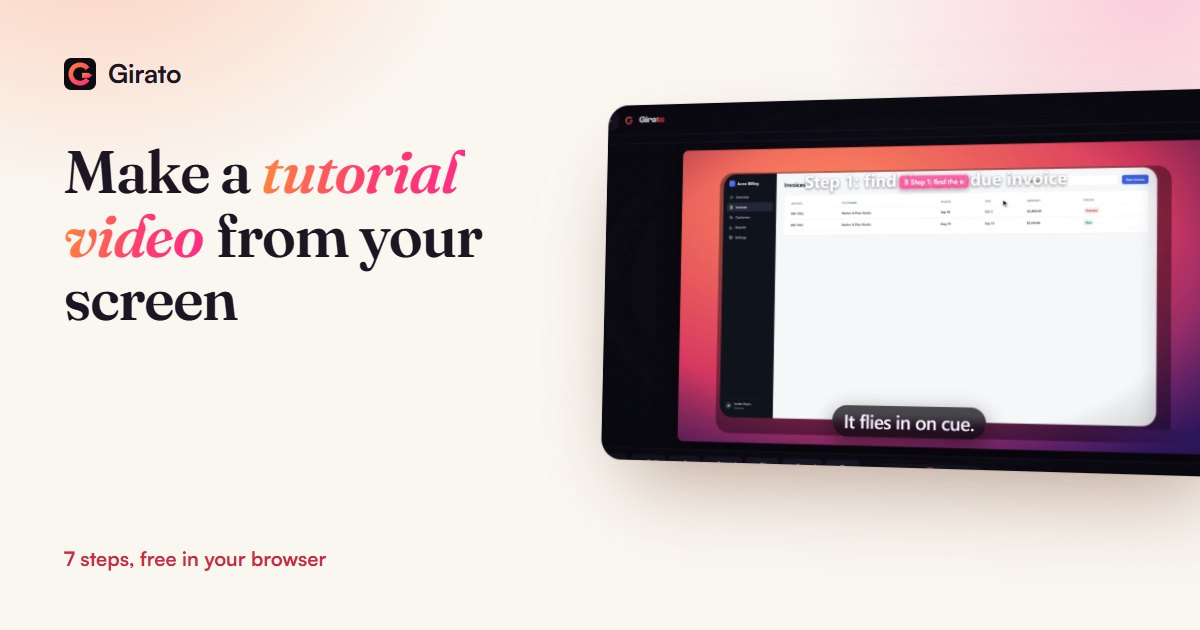
- Screen, microphone and webcam in one take
- English captions made on your device, free
- 3 watermark-free exports a month, any length
The 7 steps
- Pick one task. "How to send an invoice reminder" is a tutorial. "Everything about invoices" is a course. One task per video keeps it short and easy to find in search.
- Write the steps. A list of clicks in order, plus one line on why each matters. If it is not on the list, it is not in the video.
- Set up the screen. Close other tabs and notifications, use demo data, and make the window a size where the text reads well on a phone, around 1600 by 1000 pixels.
- Record screen and voice together. Talk as you click, then pause for a second after each click so the viewer sees what changed. Girato has a teleprompter if you prefer to read a script.
- Cut the dead air. Trim the start and end, cut any wrong turn, and speed up waiting such as uploads or loading. Girato can find and cut long silences for you.
- Show where to look. Zoom in on each click and add a short title per step, such as "Step 2: open the overdue invoice". The Girato desktop apps place the zooms on your clicks; in the browser version you add them with Zoom.
- Captions and export. Add captions (many people watch on mute), then export MP4. Pick the shape for where it will live, using the table below.
Which size to export
| Where it goes | Shape | Pixels at 1080p |
|---|---|---|
| YouTube, your website, a help centre | 16:9 | 1920 × 1080 |
| YouTube Shorts, TikTok, Reels | 9:16 | 1080 × 1920 |
| LinkedIn and Instagram feed | 1:1 or 4:5 | 1080 × 1080 or 1080 × 1350 |
| A README or a docs page | GIF or short MP4 | keep it under 10 seconds |
Girato exports all four shapes from the same recording, at 1080p and 60fps on the free plan. Pro adds 1440p and 4K.
A worked example
The films on this site come from one 20-second recording of a sample invoicing app. The path was five clicks: Invoices at 2.9 seconds, the search box at 4.3, the overdue invoice at 7.2, Send reminder at 10.8, and back to the overview at 14.1. Each click got a close-up, a step title went on at the start, and the customer's email, on screen from 7.4 to 14.1 seconds, got a blur box for exactly that span. That is a whole tutorial in one task: short, findable and easy to follow.
Mistakes that make people stop watching
- A long intro. Say what the viewer will be able to do, then start. Your name and channel can wait until the end.
- Tiny text. A large, high-resolution screen shrinks text to nothing on a phone. Make the app window smaller and let zooms enlarge the details.
- Clicking faster than you talk. One action, one pause.
- Real customer data on screen. Use demo data, or blur it for every second it shows.
Do you need to show your face?
No. Plenty of good tutorials are screen and voice only. A small webcam bubble in a corner can make a longer tutorial feel more personal; Girato records it in the same take and you can move or hide it later.
Frequently asked questions
How long should a tutorial video be?
- Usually 1 to 5 minutes
- Wistia: the sweet spot for how-to videos
- Viewers watch over half at that length
- Put the key step in the first half
What do I need to make a tutorial video?
- A computer and a microphone
- A built-in mic works for a first try
- A screen recorder that also edits
- Girato runs in a browser tab, or on Windows and Mac
Can I make a tutorial video for free?
- Yes, in Girato's browser version
- No download, card or account
- 3 watermark-free exports a month, any length
- Later free exports carry a small badge
How do I add captions to a tutorial?
- Girato writes English captions from your voice
- Made on your device, never uploaded
- A one-time 40 MB download, then offline
- Every line can be edited
Should I write a script?
- Write the steps, not every word
- Speak naturally from the list
- Or read from Girato's teleprompter
- Out of the shot when you record a window
Sources
- Wistia: optimal video length (2026 State of Video data, 13 million+ videos), checked 9 Nov 2026
- Girato pricing and free plan, checked 9 Nov 2026
- Girato features (zoom, captions, export shapes), checked 9 Nov 2026
Make your first tutorial
- Record screen and voice in a tab
- Zoom, titles and captions in one editor
- Export for YouTube, Shorts or your docs